A practical guide to MCP: what it is, how it differs from REST, how to design reliable tools, how to build a minimal MCP server, and how apps or AI agents connect to it in production.
 asta-nguyenUpdated 1 min read240 views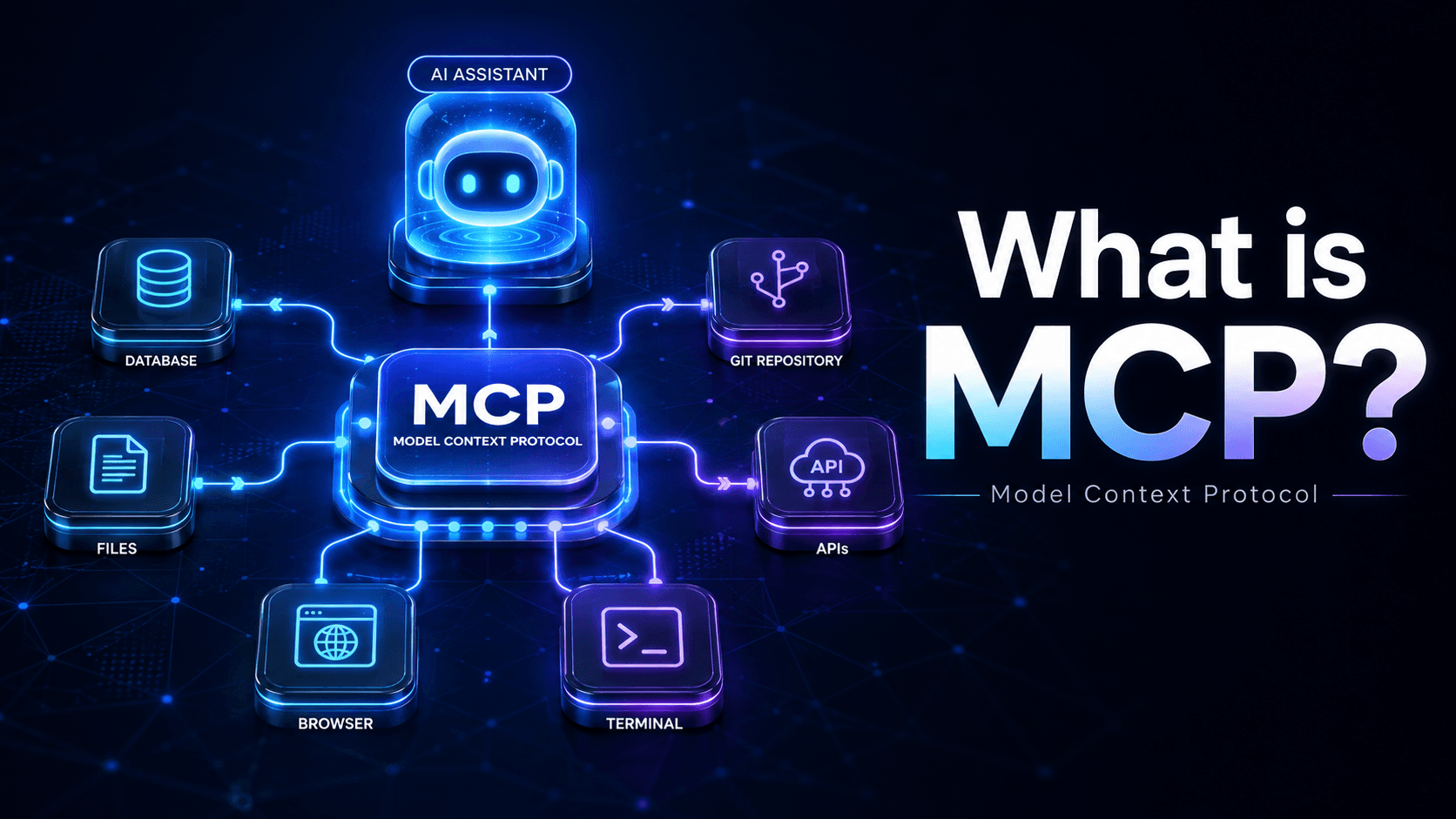
MCP, short for Model Context Protocol, is a standard way for apps and AI agents to discover and call capabilities exposed by another system.
The simplest framing is this:
REST is usually organized around resources like GET /posts or PATCH /orders/:id.
MCP is usually organized around capabilities like:
search_codecreate_ticketmemory_writegraph_neighborsThat difference matters because agents do not work like normal frontend clients. They need discoverable tools, explicit contracts, predictable outputs, and enough structure to decide what to call next.
MCP is not “REST for LLMs”. It solves a different problem.
REST is optimized for app-to-app and frontend-to-backend flows.
MCP is optimized for agent-to-tool flows where the client needs to:
That is why MCP feels closer to a runtime contract for tool use than to a plain transport layer.
| Topic | REST API | MCP |
|---|---|---|
| Main client | Frontend, mobile app, backend service | AI agent, editor integration, tool-aware app |
| Design unit | Resource | Capability or action |
| Discovery | Docs or OpenAPI | Built into the protocol via tool metadata |
| Typical shape | /users, /orders/:id | find_customer_context, index_workspace |
| Best for | CRUD and service integration | Agent tool calling and structured context access |
| Output expectations | App-defined | Agent-friendly, schema-driven, stable |
In practice, most serious systems should use both:
Most people reduce MCP to tools. That is incomplete.
A fuller model is:
If you only think in terms of tools, you end up wrapping everything as a function call.
That is often the wrong abstraction.
Examples:
memory_write should stay a toolFor a code intelligence system like OpenEZ, tools are the obvious first surface, but resources and prompts are natural extensions.
At minimum, an MCP server needs three things:
A practical fourth requirement is just as important:
If the underlying service is unreliable, MCP only exposes that unreliability faster.
A good tool should have:
This is the difference between a demo tool and a production tool.
A demo tool says “call me with some JSON”.
A production tool makes it obvious:
This is the most important design rule.
Do not clone your REST API into MCP.
A weak MCP surface looks like this:
get_usersget_user_by_idpatch_userdelete_userThat forces the model to assemble workflows from low-level primitives.
A stronger MCP surface looks like this:
find_customer_contextcreate_support_ticketsummarize_invoice_riskThat gives the agent capabilities at the level it actually needs.
The right question is not “what endpoints do we already have?”
The right question is “what jobs should the agent be able to complete?”
The practical sequence is simple.
Start from:
If the answer is only three tools, ship three tools.
Do not build twenty speculative tools on day one.
For each tool, define:
A minimal example:
1{
2  "name": "get_order",
3  "description": "Fetch a single order by ID.",
4  "input": {
5    "orderId": "string"
6  },
7  "mutatesState": false
8}If the underlying service is flaky, adding MCP does not help.
It only gives more clients a clean path to hit broken logic.
Get the service right first. Then expose it.
For local developer tools and editor integrations, stdio is often enough.
For shared services, multi-tenant access, auth, and remote execution, you usually need a remote transport and a real trust model.
A simple rule:
This is the part many teams underestimate.
A tool is not useful until the client can discover and invoke it reliably.
That means shipping:
This is the smallest useful shape, not a full framework tutorial:
1import { Server } from "@modelcontextprotocol/sdk/server/index.js";
2import {
3  ListToolsRequestSchema,
4  CallToolRequestSchema,
5} from "@modelcontextprotocol/sdk/types.js";
6import { StdioServerTransport } from "@modelcontextprotocol/sdk/server/stdio.js";
7
8const server = new Server(
9  { name: "example-server", version: "1.0.0" },
10  { capabilities: { tools: {} } }
11);
12
13server.setRequestHandler(ListToolsRequestSchema, async () => ({
14  tools: [
15    {
16      name: "search_docs",
17      description: "Search internal documentation.",
18      inputSchema: {
19        type: "object",
20        properties: {
21          query: { type: "string" },
22          limit: { type: "number" }
23        },
24        required: ["query"]
25      }
26    }
27  ]
28}));
29
30server.setRequestHandler(CallToolRequestSchema, async (request) => {
31  if (request.params.name !== "search_docs") {
32    throw new Error(`Unknown tool: ${request.params.name}`);
33  }
34
35  const { query, limit = 5 } = request.params.arguments ?? {};
36  const results = await searchDocs(String(query), Number(limit));
37
38  return {
39    content: [
40      {
41        type: "text",
42        text: JSON.stringify({ results }, null, 2)
43      }
44    ]
45  };
46});
47
48const transport = new StdioServerTransport();
49await server.connect(transport);
The important part is not the SDK syntax.
The important part is that the server:
OpenEZ is a useful example because MCP is not bolted on after the fact. It is one of the main interfaces into the system.
The current MCP surface includes:
list_workspacescode_querycode_contextgraph_neighborsmemory_recallmemory_writeindex_workspaceThat is a strong capability set for code intelligence.
It is not trying to mirror internal tables or generic CRUD.
It exposes what an agent actually needs:
code_query, code_context, and graph_neighbors are direct, capability-oriented names.
They tell the client what job each tool performs.
OpenEZ does not dump all ambiguity onto the client.
Its MCP layer resolves:
workspaceIdworkspaceIdspathpathsThat matters because agents are bad at ambiguity and excellent at repeatedly making the same wrong assumption.
OpenEZ auto-registers a workspace, auto-indexes if needed, and can watch for changes.
That keeps the system cheap to start and practical for real developer workflows.
SQLite, indexing, and graph retrieval live behind the MCP layer.
That is the correct split.
The web app is a management surface. The MCP server is a protocol surface. The code intelligence runtime remains the engine.
The next level is not “more tools”. It is better contracts.
Agent clients behave better when tool outputs are stable and structured.
Do not return arbitrary prose if the caller really needs fields.
Prefer outputs the client can reason over consistently.
A good MCP server returns errors the client can act on.
Examples:
WORKSPACE_NOT_FOUNDWORKSPACE_NOT_INDEXEDINVALID_SCOPE_SELECTIONAUTH_REQUIREDThe useful part is not only the error string. It is the recovery path.
Example:
WORKSPACE_NOT_INDEXED → suggest index_workspaceA client should know whether a tool is read-only or mutating.
For example:
code_query is read-onlymemory_write mutates stateindex_workspace has side effects and costThat distinction matters for planning, retries, and user confirmation.
OpenEZ exposes controls like maxTokens.
That is not cosmetic.
Agent clients need bounded responses because retrieval quality collapses when tools dump too much context into a single turn.
A good MCP design makes budget an explicit part of the contract.
Stdio is enough when:
Remote MCP becomes necessary when:
Do not force remote complexity into a local-first tool.
Do not force local trust assumptions into a shared service.
MCP does not remove security responsibilities.
It makes them more visible.
At minimum, think about:
If your stdio MCP server runs locally, it effectively inherits the user's machine trust boundary.
That is fine when intentional. It is dangerous when ignored.
There are two common patterns.
This is the common flow for editor and coding agents.
OpenEZ follows this model.
Its setup flow is straightforward:
1pnpm openez setup codex /path/to/project
2pnpm openez setup claude /path/to/project
3pnpm openez setup opencode /path/to/project
The result is:
An app does not need to be an LLM to use MCP.
It only needs to behave like an MCP client.
That means it can:
That is useful for internal apps, orchestrators, and automation systems.
The exact config shape depends on the client, but the pattern is always the same:
1{
2  "mcpServers": {
3    "openez": {
4      "command": "pnpm",
5      "args": ["--dir", "/path/to/openez", "openez", "serve", "--mcp"]
6    }
7  }
8}
The specifics differ by product, but the practical contract does not:
Use MCP when:
You probably do not need MCP when:
Avoid these:
Before shipping an MCP server, verify:
MCP does not replace REST.
It solves a different interface problem.
OpenEZ is a good example of this done properly.
Its MCP layer is capability-first, local-first, multi-workspace aware, and built around what an agent actually needs to do.
If your product needs AI to do real work instead of only generating text, MCP becomes relevant very quickly.
 AI
AI OpenSpec is an open-source, lightweight spec-driven development (SDD) framework that helps human developers and AI coding agents align on what to build before code is written. This article covers its philosophy, workflow, and how it fits into the modern AI-assisted development landscape.
 AI
AI A practical look at Moonshot AI's Kimi K3, why it is trending, how its benchmarks compare, and where it may or may not be useful today.
AI Agent DevKit is a lightweight workflow for reliable AI-assisted development: focused skills, approval-gated planning, systematic debugging, an Obsidian-friendly source-grounded wiki, and optional OpenEZ code intelligence.
MCPOpenEZ indexes code and documentation into local SQLite, builds a symbol graph, and exposes bounded retrieval, relationship traversal, and durable project memory through MCP for AI coding agents.
 AI
AI Turn a Mac at home into a private personal server you can access from an iPhone with Tailscale, SSH, and tmux—without router port forwarding.